Email best practices
Quickly create stunning email templates with these 7 essential design tools

The old saying is true – a picture speaks a thousand words. 83% of the information we learn as humans is visual and 54% of internet users share self-generated visual content. With visuals being a driver of consumer interest and motivation, design is one thing you’ll want to get right.
We’ve rounded up a handful of our favorite free tools that make it easy to create eye-catching graphics. So when your designer goes on vacation or needs an extra hand, you’ll be able to put an email together, no matter your experience level. For full marks, we’ll show you how to pop these graphics into Mailjet’s Email Editor for a fully mobile responsive template.
Get the blender out – we’re getting those creative juices flowing.
What are email templates and how can you create them?
Anyone who’s created an email from scratch – either by coding or using a drag-and-drop editor – will know it’s pretty time-consuming. And if there’s one thing we need more at work, it’s definitely time.
Email design templates are the best way to streamline email campaign creation. Most email service providers (ESPs) like Mailjet have a library of templates you can choose from. Our library contains a theme for each industry and occasion, including newsletters, seasonal templates, ecommerce templates, events templates, travel templates, and sports templates. As an email marketer, you have the choice to either customize one of these or create one from scratch.
Either way, you need some tools for the job – like a sculptor chiseling their work of art. The tools you need are an image editor, a color inspiration/palette selector, a best-in-class email editor, a GIF engine/creator, and a testing tool.
We know – that’s a big shopping list… Luckily, we’ve curated the best of the best, the crème de la crème, the…okay, okay, let’s get going.
7 tools to create email marketing templates
You’ll notice the template-editing tools on our list are all user-friendly. So, no need to read manuals or navigate complicated Adobe pricing models. Furthermore, many of these tools will come in handy during other marketing, web design, and advertising workflows.
Here are seven tools that will make your life much easier when designing email templates:
- Canva
- Mailjet’s Email Editor
- Design Seeds
- Unsplash
- Image Color Picker
- GIPHY
- Email on Acid
Let’s get stuck in.
1) Canva
We’re kicking off with Canva, an amazingly simple graphic design tool heavily used by the Mailjet marketing crew. When you first log in, you can choose from several dozen pre-made templates with a variety of formats for your needs – from infographics to flyers, to social media posts, and email headers. Their preset email header is 600 x 200 px, the size we recommend for email campaigns.
Canva also has a large library of free images, icons, vector graphics, and logos that can be customized and dropped into the body of your email. They also provide a robust gallery of newsletter templates for you to choose from. And for those last-minute crops, resizes enhancements, and animations, they also offer a robust photo editor – who needs Photoshop anyway.
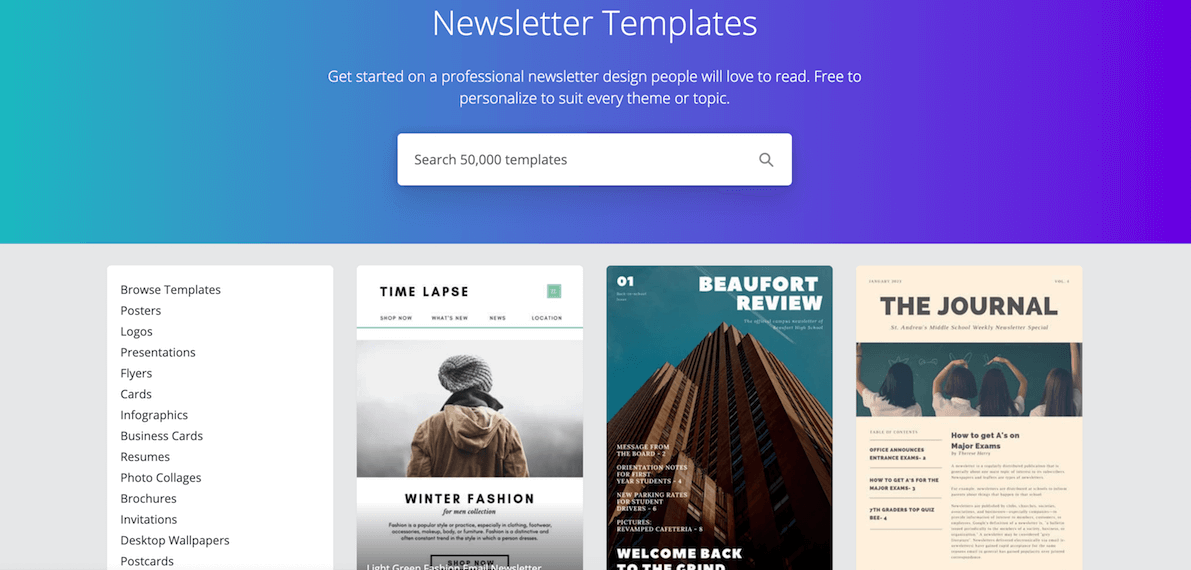
- Free newsletter templates from Canva
2) Mailjet Email Editor
Speaking of free online design software, have you met Mailjet’s Email Editor? We love to toot our own horn when it comes to our intuitive drag-and-drop email template builder. If you’re short of time, you can tinker with our extensive library of themed templates crafted by our in-house design team.
Mailjet’s Email Editor comes with image editing capabilities, as well as plenty of predesigned blocks to build responsive email templates. Mailjet’s reusable design blocks allow you to save sections and link them across several templates to provide brand consistency and protection. Once you’ve designed a beautiful hero header, anyone in the company can drag the design block into their campaign.
And for those pesky few who can’t help clicking everything, our Email Editor allows you to lock specific sections of your templates down to keep your boilerplate from sabotage.
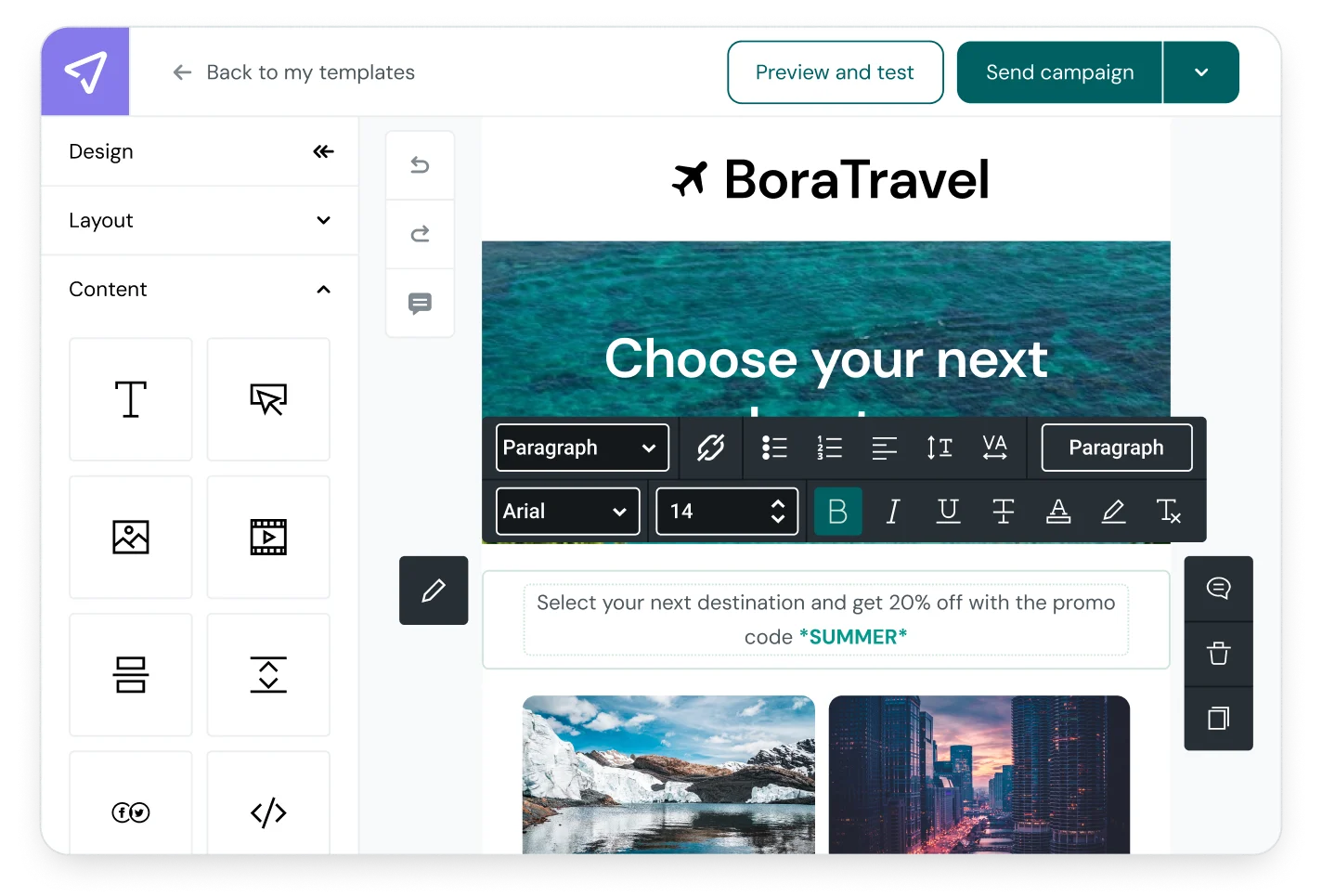
- Give Email Editor a go in our live demo
3) Design Seeds
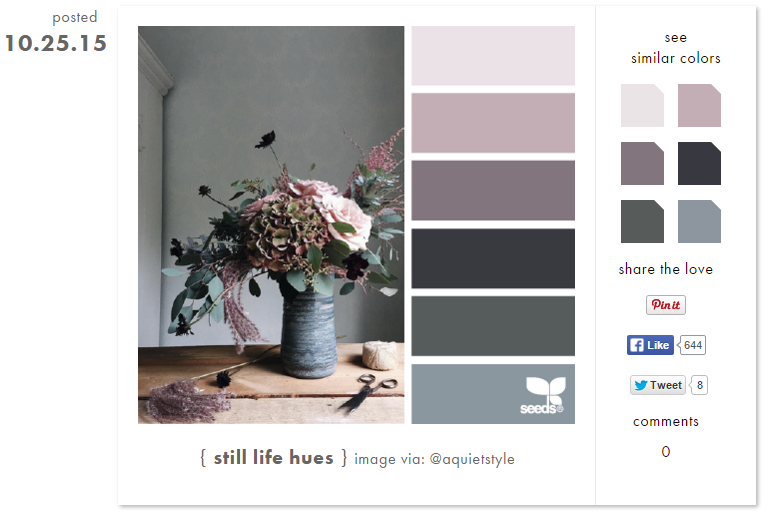
Let’s face it – It can be pretty overwhelming for a non-designer to choose color palettes for prototyping and artboards. That’s where Design Seeds comes in handy. The site lets you search for photos by color value – alongside each photo, you’ll see related colors that can be incorporated into the rest of your design process.
Be careful with Design Seeds though, you can easily get sucked into a black hole surfing through the site and lose track of time! The images are so clean and vivid – it’s the Pinterest of stock photos.
4) Unsplash
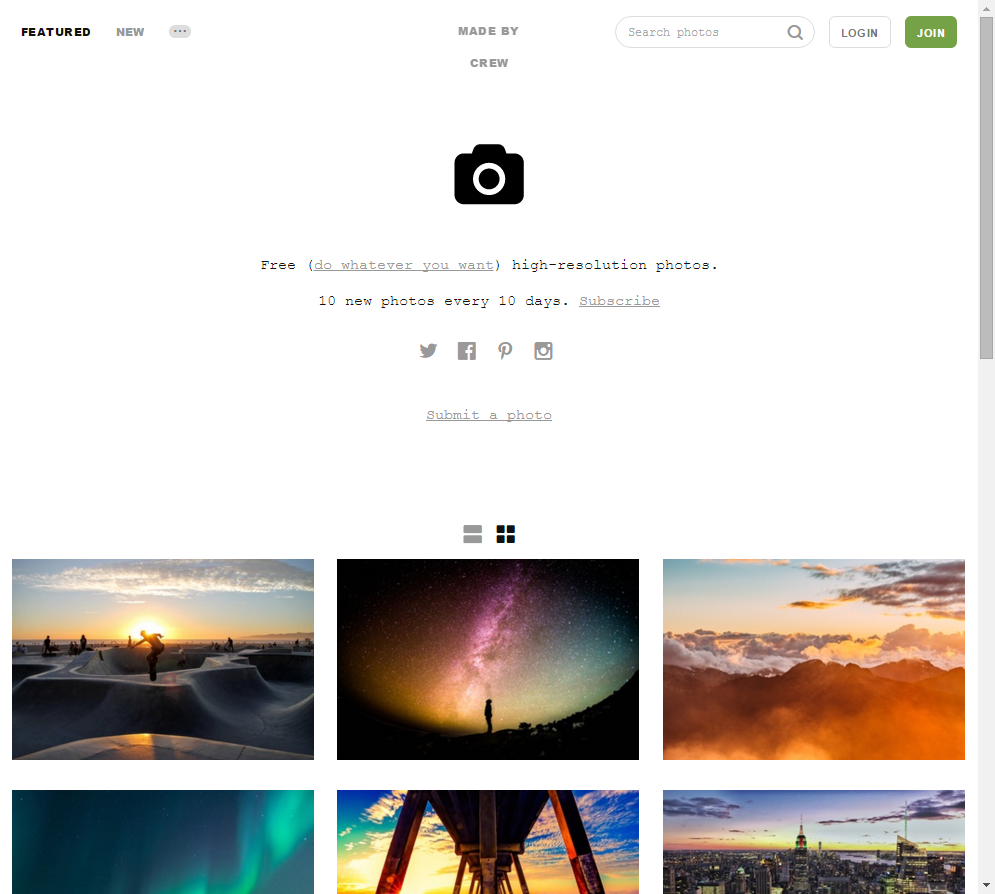
Following up with another photography site, we like to think of Unsplash as one of the internet’s best-kept secrets. It’s such a simple interface and idea – a collection of free, high-res photos.
It’s tough for businesses, especially smaller businesses, to get ahold of quality photos online without having to pay pricey royalties or worry about rights. Unsplash solves this problem with their own license agreement, which allows users to use their photography for commercial purposes, with no permission required (but hey, it’s always nice to credit an artist’s work).
We’ve used these photos for hero images or turned them into a call-to-action (CTA) by dropping the brightness and layering them over with text.
5) Image Color Picker
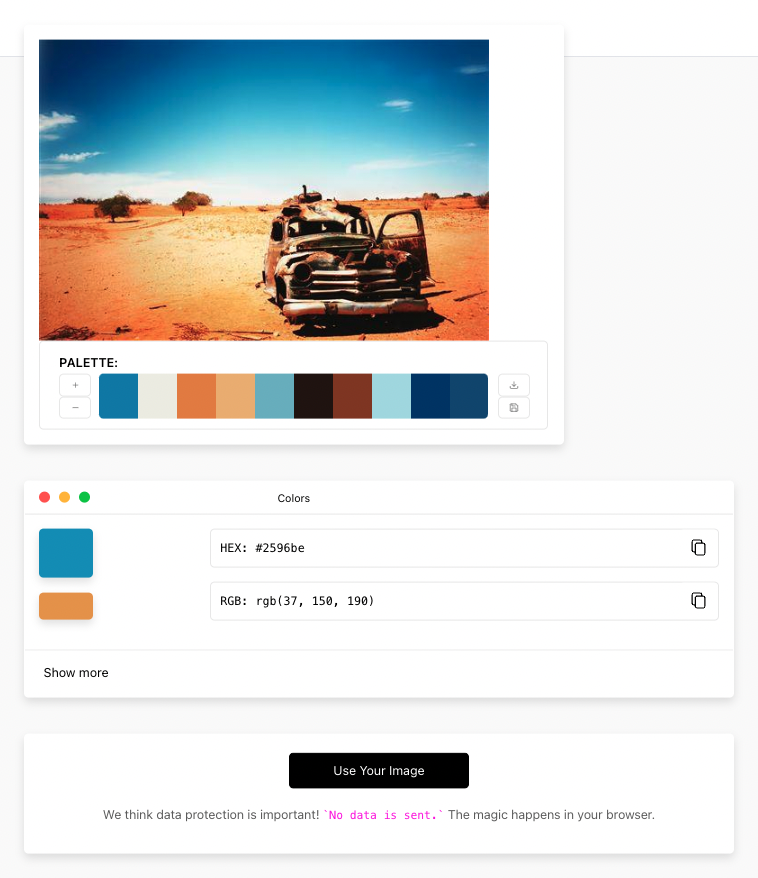
It’s probably one of those tools that you’ve thought about in passing before. Say you’re searching online for inspiration, and you come across a really calming blue you’d like to include in your email. How are you going to find that exact blue? If only there was a tool that would let you reverse search that color code…
With Image Color Picker, you can do exactly that and more. All you need to do is click on a part of an image and it’ll identify the color and spit back the code for you to use in another design. It will also recommend color combinations, check the contrast of text to background colors, and offer variations of shades and tints.
While there are many ways of uploading a photo, some people may prefer a browser plugin. In this case, check out this great alternative, ColorZilla.
6) GIPHY
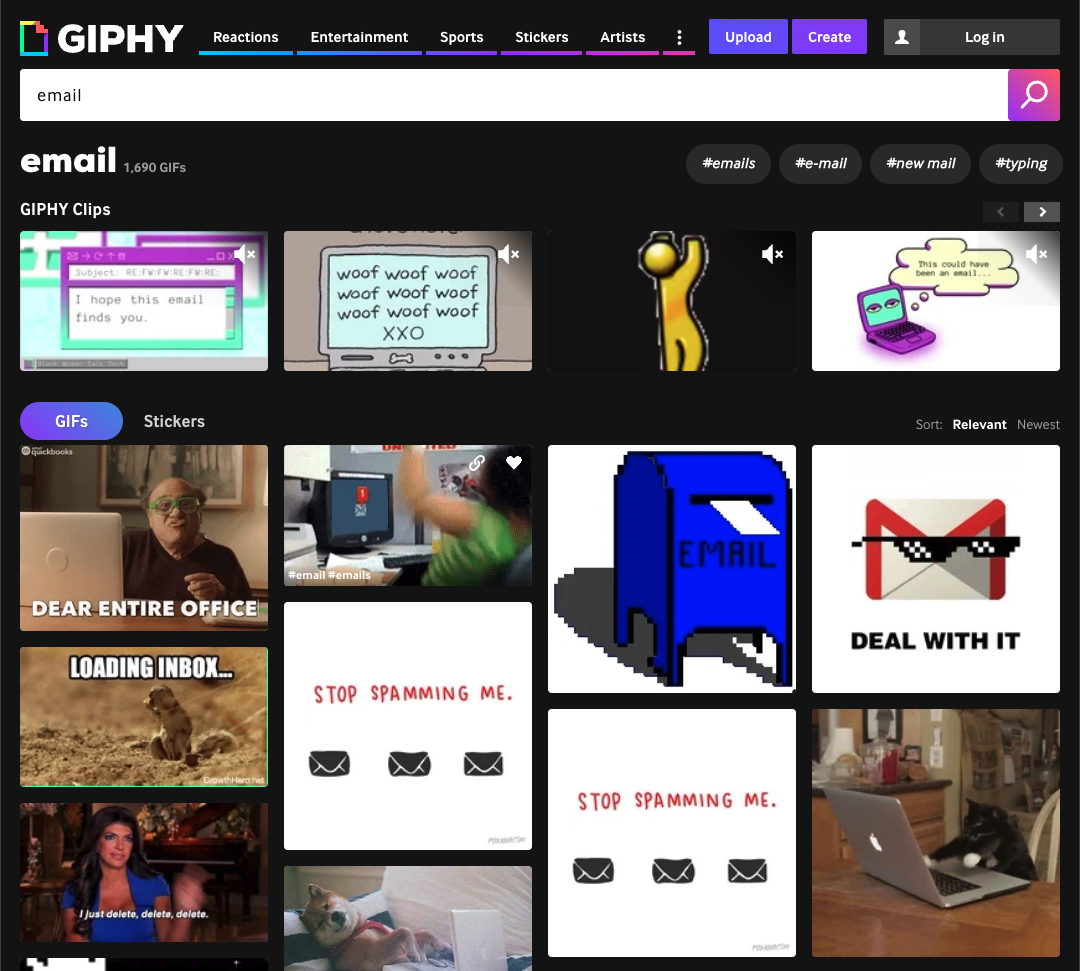
How many GIFs have been shared with you this week? If a picture is worth a thousand words, a GIF is definitely worth a million. There are limitless ways to use GIFs in your emails: funny pop culture references, animated elements, tutorials, video previews – the list goes on forever…
For all your animated imagery needs, look no further than GIPHY. It’s quite literally the Google of GIFs. Even more useful for marketers is the ability to create your very own GIFs using their tool, GIPHY Create. You can take your videos, pictures, or YouTube links, and create something completely unique to your brand.
If you need help adding your chosen GIFs to your campaign, we have a complete guide to get you started.
7) Email on Acid
When an artist finishes their masterpiece, they don’t put it in a gallery straight away. They’ll often have a trusted circle of friends come over and gently critique the piece so you can go back and iterate. An email is much the same – if you hit send without checking how it will display on different browsers, email clients, and devices, you may be in for a negative critical reception.
Email on Acid provides those final pair of eyes necessary to ensure your beautifully crafted campaigns display correctly and land in the inbox. It’s a huge time-saver from manually sending out emails to your team to check and even has nifty “click to fix” features to help with common issues, like replacing the first frame of animated GIFs for email’s most stubborn client – Outlook.
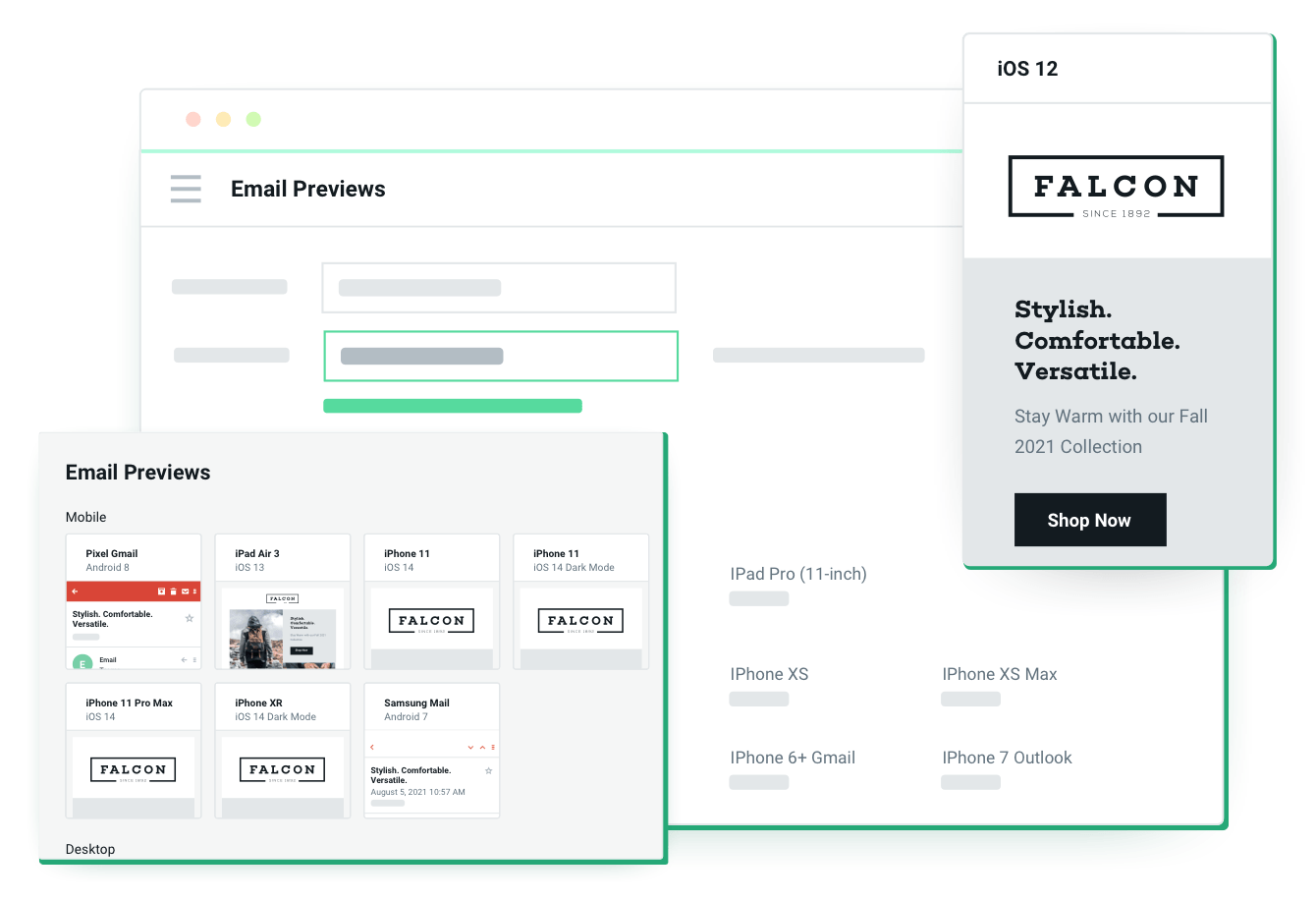
Email on Acid’s pre-deployment checklist
In review
Remember: A strong email design isn’t just a work of art your recipients will want to stare at for hours. It’s the best path to drive clicks and conversions. And if there’s one thing to take away today, it should be inspiration to make an awesome email template.
Previously, this was a laborious and time-consuming business – very off-putting to busy, time-stretched marketers. Now, powerful platforms like Canva, GIPHY, Unsplash, and Mailjet make it easier to create something you can be really proud of while fulfilling all your other marketing duties.
Can’t wait to get started designing awesome email campaigns? Try our Email Editor demo now – no account creation needed!