AI email marketing
Create templates, improve copy, build segments faster, and analyze performance using Mailjet’s integrated AI tools.
AI Email Generator for ready-to-edit templates
AI Assistant for subject lines and on-brand copy
AI Segmentation based on plain-language rules
MCP Server for instant performance insights in Claude
Mailjet’s AI tools help teams produce stronger campaigns faster across a wide range of everyday workflows.
Turn a short brief into a complete template you can refine and send the same day.
Generate cleaner copy and stronger subject lines without rewriting everything yourself.
Use AI to rewrite outdated content and improve clarity, tone, or structure.
Create segments for engagement, value, or reactivation with a simple prompt.
Generate translated or localized variants of your content in minutes.
Ask direct questions about clicks, opens, or deliverability to get quicker insights.
AI Email Template Generator
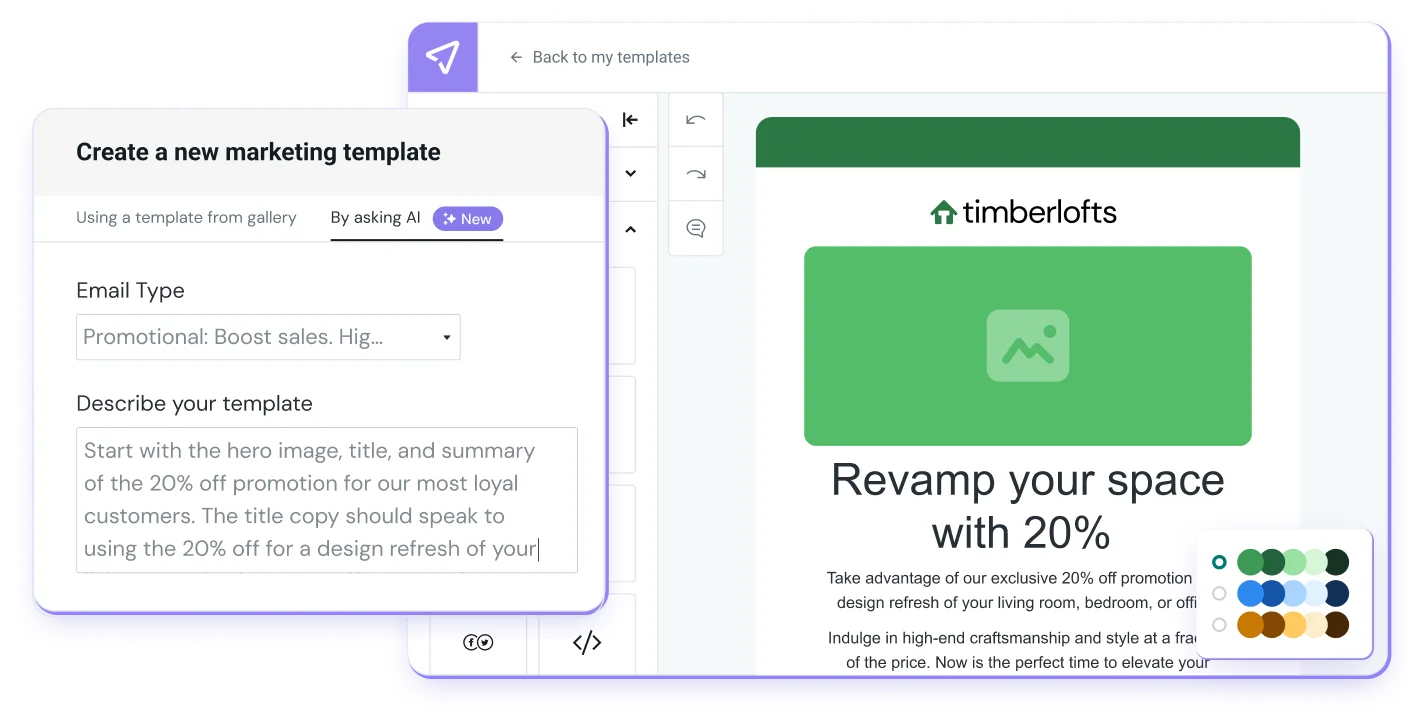
Choose the type of email you want to create and add a short description. Mailjet AI uses your brief to generate a complete template that includes structure, layout guidance, placeholder content, and first draft copy. You start from an organized, ready to refine template instead of a blank screen.
Get a ready made template built around your brief
See suggested copy placed directly into each section of your draft
Refine and personalize your generated email directly in the editor
AI Assistant
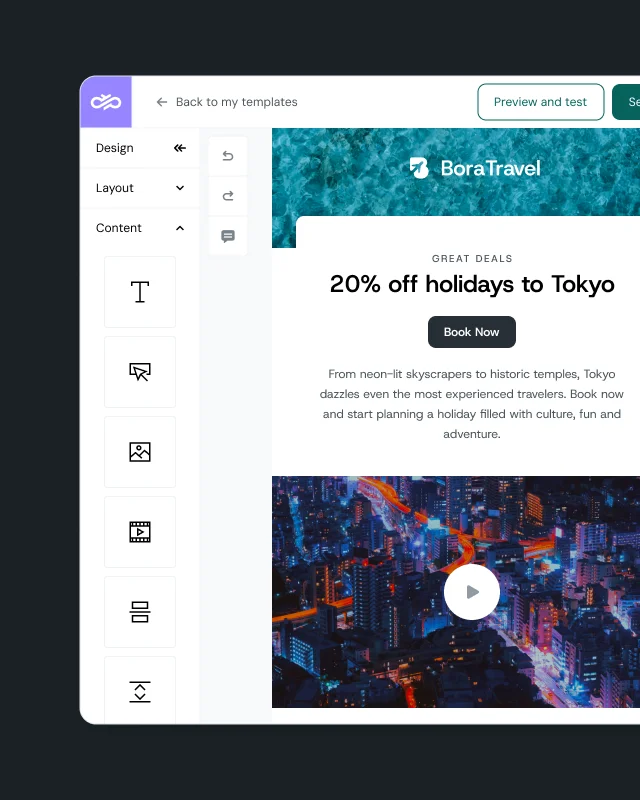
Use Mailjet AI to generate subject lines, headlines, and paragraph copy from a simple prompt, or improve the text already in your campaign. The assistant works directly inside the Mailjet editor so you can rewrite, adjust tone, translate content, or create variations without changing your layout.
Generate clearer, stronger messaging with instant rewrites
Adjust tone or refresh underperforming copy directly in the editor
Translate or localize content with support for multiple languages
AI SEGMENTATION
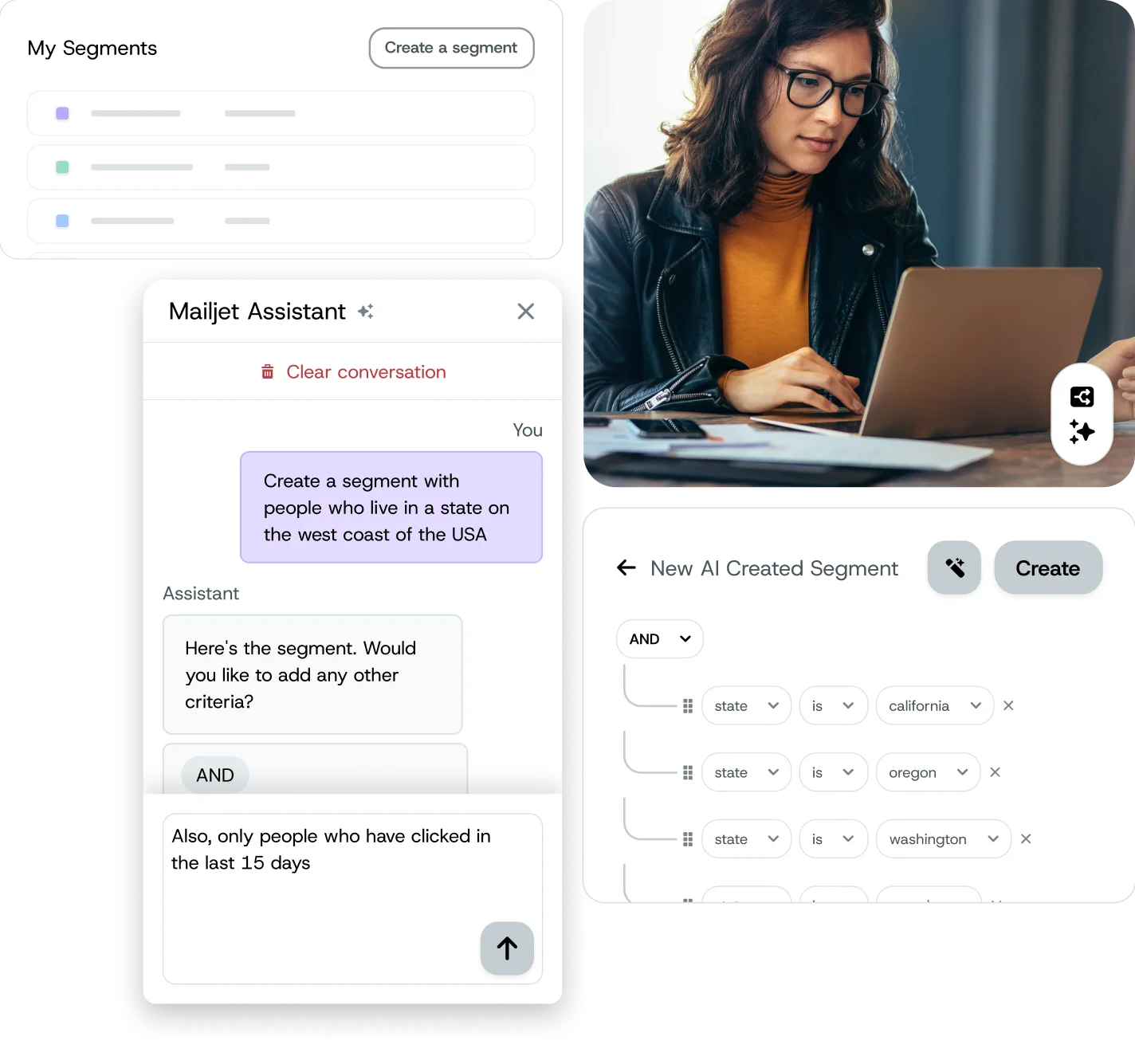
Describe the audience you want in plain language and let Mailjet AI turn it into a structured segment you can review and adjust. AI translates your prompt into filter logic so you can build targeted groups faster without setting rules yourself. Use prompts for speed or switch to filters for fine tuning.
Build segments of your most engaged subscribers with a single prompt
Create high value customer groups based on behavior signals
Generate hygiene segments that identify inactive contacts for cleanup
Email data exploration
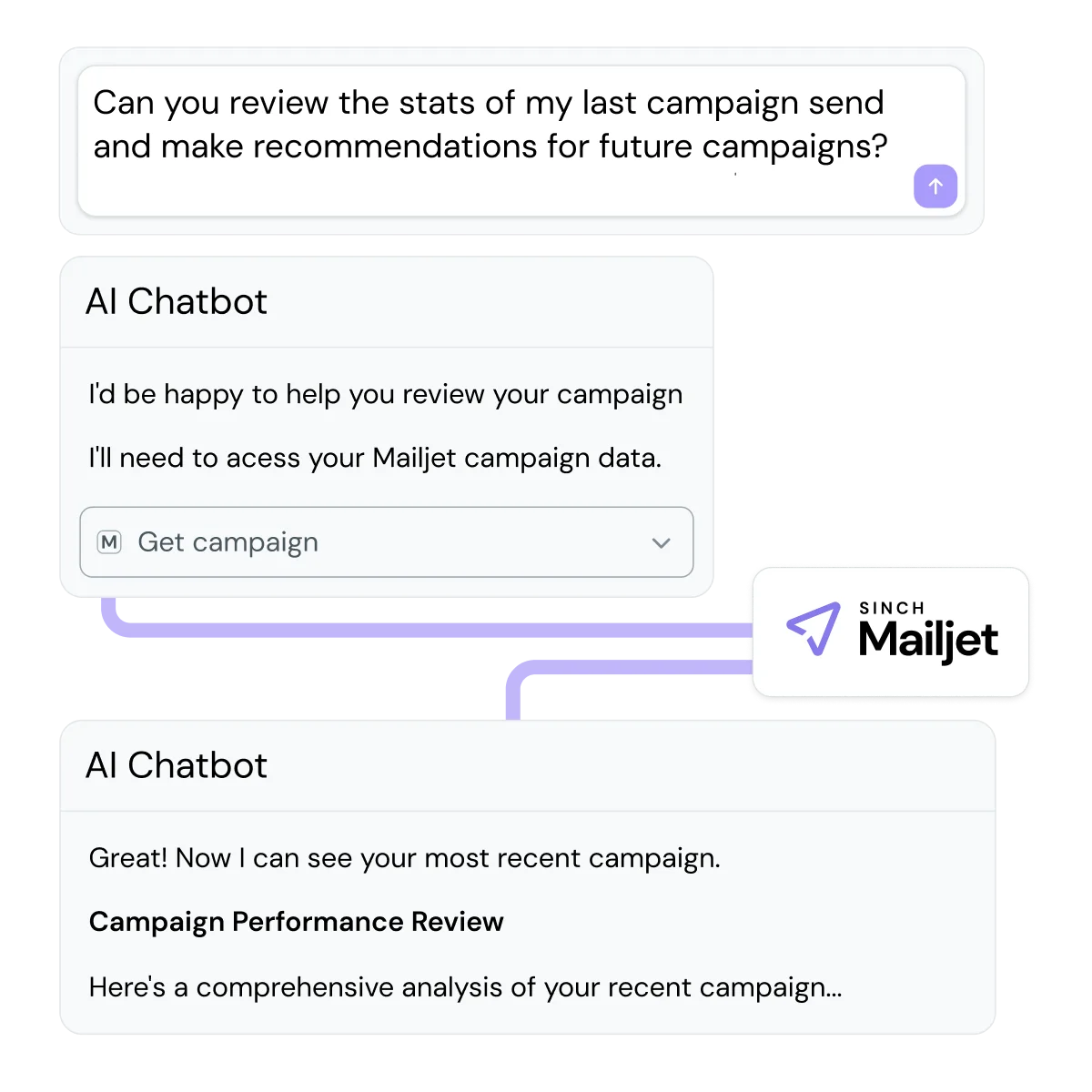
Skip dashboards. Ask questions and get answers instantly. Mailjet’s MCP Server connects Claude Desktop to your Mailjet account so you can ask direct questions about your campaign performance without digging through reporting tools. Claude retrieves data through a secure, read only API connection and helps you analyze results faster with less manual exploration.
Compare campaigns or review deliverability factors with simple prompts
Ask follow up questions to dig deeper into your results
Generate summaries or visualizations through Claude’s AI for faster decision making
Mailjet’s AI focuses on the slowest and most manual parts of email creation, targeting, and reporting, replacing hours of work with fast, prompt driven actions.
Sign up for a Mailjet account on an Essential plan or higher. Open any email or template in the Email Editor and select the Ask AI option to generate templates, rewrite copy, build segments, or explore performance insights based on what you need.
You choose an email type and provide a short description. The AI uses your brief to create a complete template with structure, layout guidance, and draft copy you can edit in the Email Editor.
Yes. Everything the AI produces is fully editable. You can adjust text, update images, rewrite sections, or apply your own branding.
Yes. You can select any block of text and use AI to rewrite, shorten, expand, improve tone, or create variations directly in the editor.
Yes. You can translate any selected text directly in the editor. Supported languages include English, German, French, Spanish, Italian, Portuguese, Swedish, and Danish. You can apply the translated text to your email or use the Copy function to reuse or review it before adding it to your layout.
You can build segments for many targeting needs with a simple prompt. Examples include most engaged subscribers, regional or geo based groups, cross promotion audiences, high value customers, and exclusion or test lists.
Example prompt: “Show contacts who opened in the last 30 days but didn’t click.”
AI turns your prompt into logic you can review and adjust.
MCP connects Claude Desktop to your Mailjet account and lets you ask direct questions about your campaign performance. Claude retrieves data through a secure, read only API connection and provides quick insights without navigating dashboards.
No. All AI features work with simple natural language prompts. You can describe what you need in plain terms, whether it’s generating a template, improving copy, creating a segment, or asking about performance, and the AI will handle the rest.
Yes. You can turn off AI features if your team chooses not to use them. For the full instructions, see our guide.